Product playbook · 3 min read
Prioritize Feedback from Enterprise and Smaller Customers
Problem
Having both small and enterprise clients can make it difficult to understand what to do next, not just for the enterprise but for both types of clients.
For example, you might try prioritizing features based on customer demand and focus on customer revenue as a criterion, but this approach will always prioritize the needs of the largest clients. This method doesn’t work well, as you’ll end up catering to only one segment.
Solution
Private voting boards will help you to collect feedback from different customers separately.
Collaborative team prioritization with special criteria helps to understand the priorities qualitatively, not quantitatively.
Workflow overview
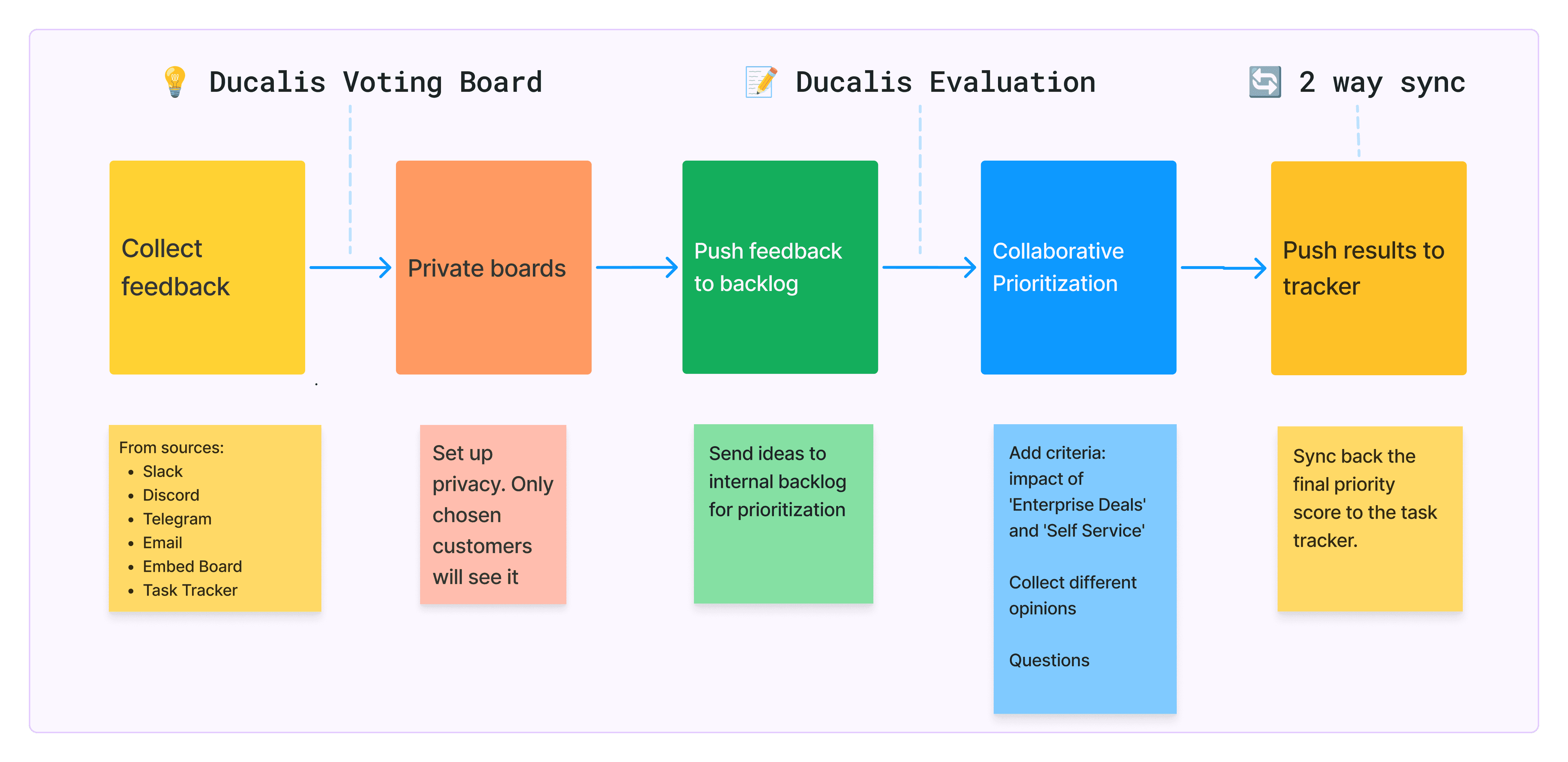
Collect feedback from different sources

Capture, centralize, and organize feedback all in one place. Ensure no information gets lost by collating feedback from email, chat, support, and other channels in one organized inbox.
- Use Ducalis to gather all your ideas, bugs, and feedback from various sources:
- Prevent duplicate feedback - let users add votes and comments to existing posts, merge similar requests, reject.
Create voting boards with different privacy
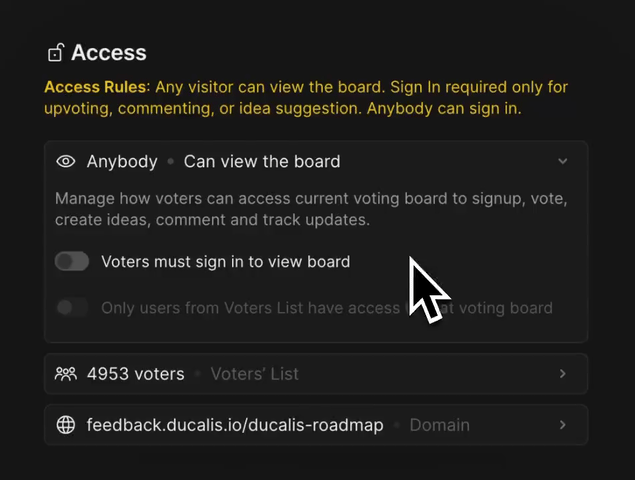
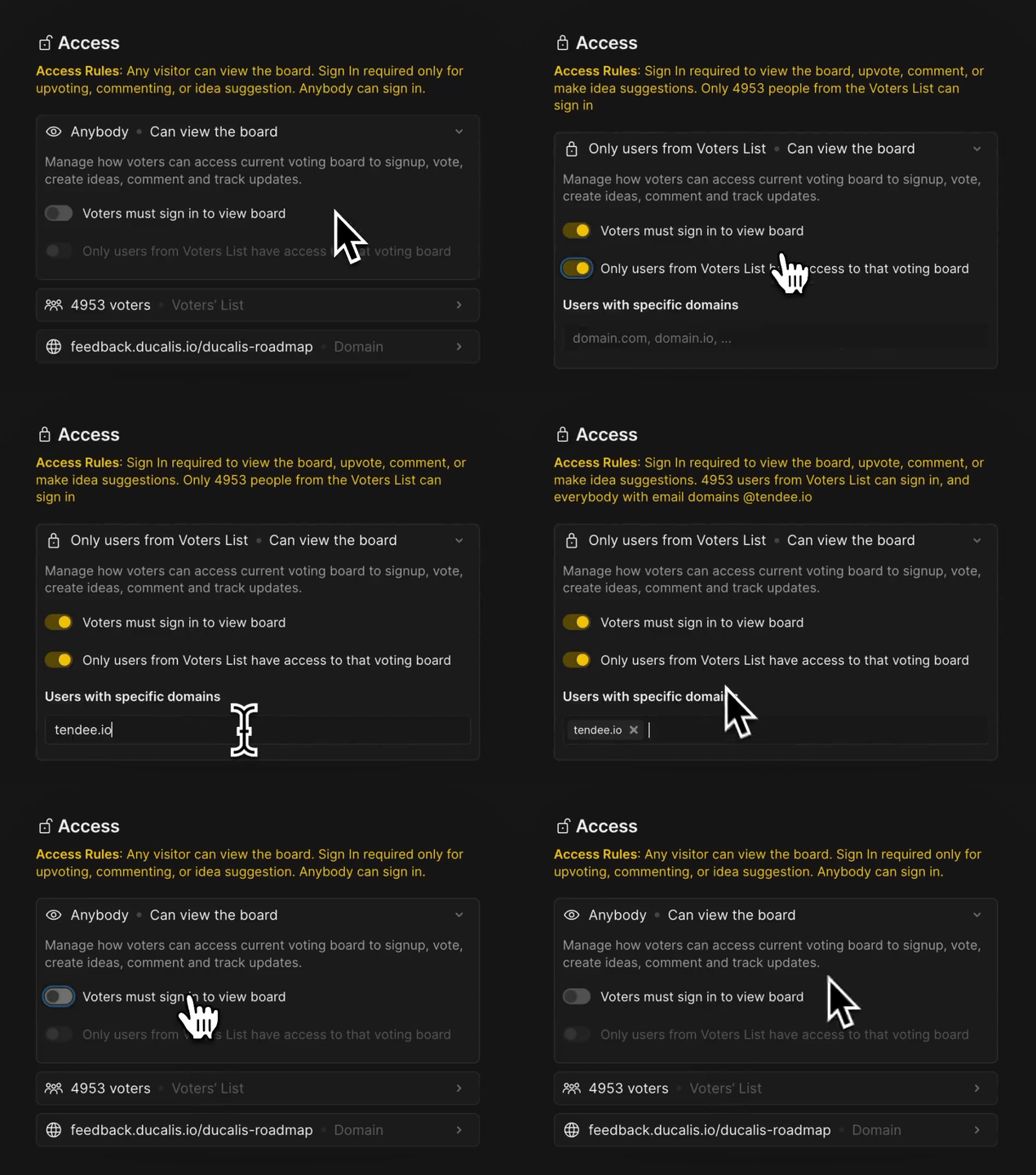
Set up privacy to make boards visible only to a specific customer or group of customers.
-
Create multiple voting boards. For example, you can create one board for small client requests and another for enterprise clients. Alternatively, you can create separate boards for each enterprise customer.
-
Set up privacy: make each voting board private for individual clients, allowing them to submit their requests separately from others.
-
Set up different languages for each board if needed. Available in 10+ languages, fully translated in German, French, Spanish, Portuguese, and more.
Link requests to your internal backlog

See the complete picture: development and customer sides for task tracker issues and customer requests.
- Push ideas into development planning tools, keeping all systems in sync.
Works with Jira Cloud, Jira Server, Linear, Asana, ClickUp, Trello, YouTrack.
Prioritize backlog with special criteria
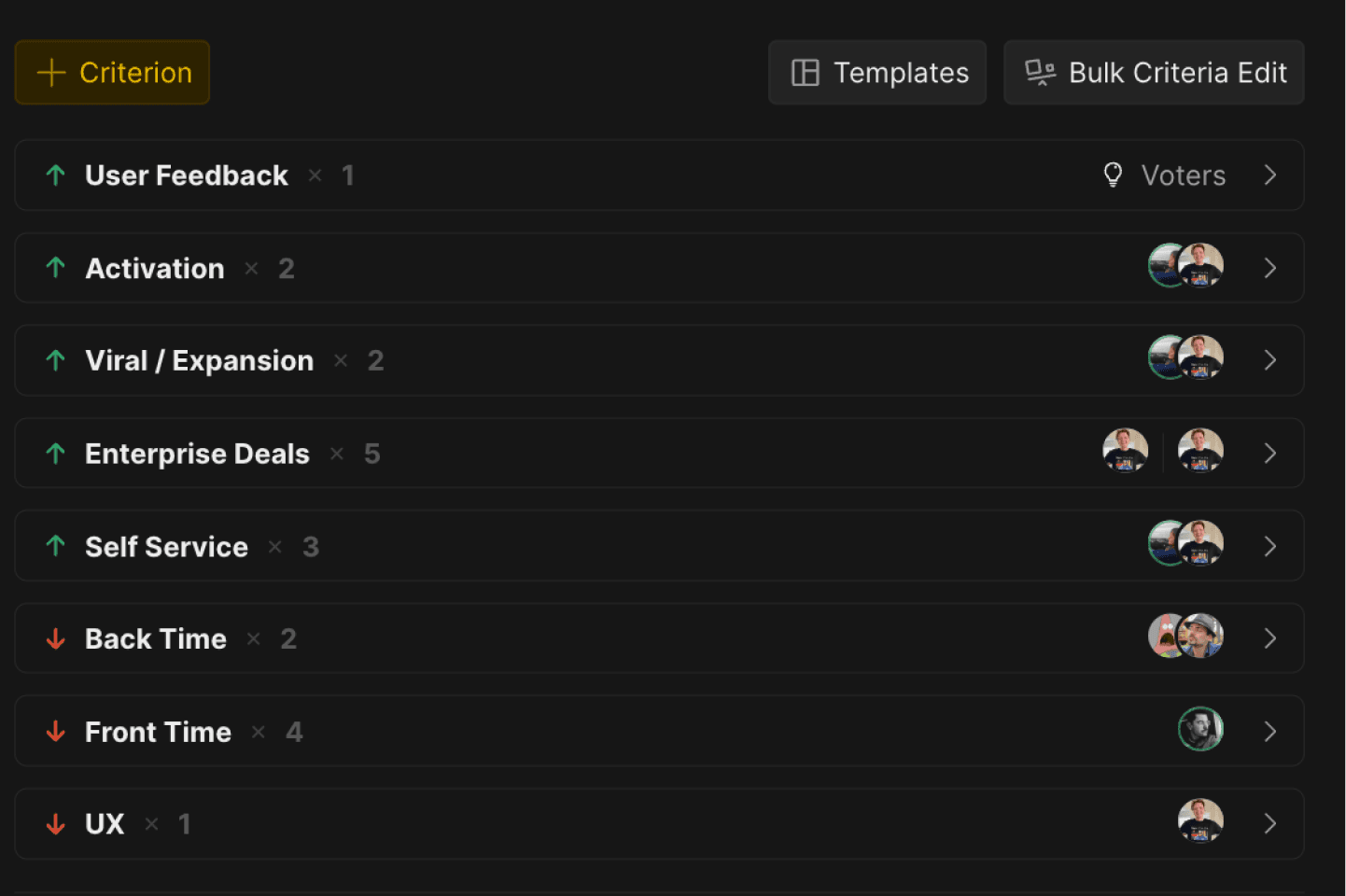
Collect different opinions on the impacts and efforts of each task in your backlog. Apply any prioritization frameworks or build your own.
-
Choose prioritization framework from our template library. Add your custom criteria. Set up own evaluation scale.
-
Add special criteria, such as ‘Enterprise Deals’ and ‘Self-Service.’ These will help you evaluate each task based on the impact and needs of each client group.
-
Collect different opinions from your teammates.
-
Ask Questions to your teammate about tasks, criteria, goals.
Sync prioritization results back to your task tracker

Automatically update priority score, priority rank, number of customer’s upvotes, or criteria like job size, business value, or story points.
- Back-sync to task tracker to automatically sync your prioritization results back to your task tracker where you manage and work on tasks.
Works with Jira Cloud, Jira Server, Asana, ClickUp, Trello, YouTrack.
- Push tasks from Ducalis to your task tracker. Create tasks in Ducalis, and prioritize it with your teammates. Then push your task tracker with just a click.
Works with Jira Cloud, Jira Server, Linear, Asana, ClickUp, Trello, YouTrack.
Results
✅ Balance between tasks for small and enterprise clients.
✅ Backlog priorities reflect what enterprise and smaller clients actually asked for.
✅ Understanding each enterprise client’s needs keeps renewal and expansion conversations grounded in their own requests.
Helpful resources
or